Here is a step by step guide on how to download an old brief to re-upload it in Cohley's new and improved brief format! Additional resources, along with a video tutorial, are linked at the bottom of the guide.
Step 1: "Download as PDF" from the main brief menu or when editing the brief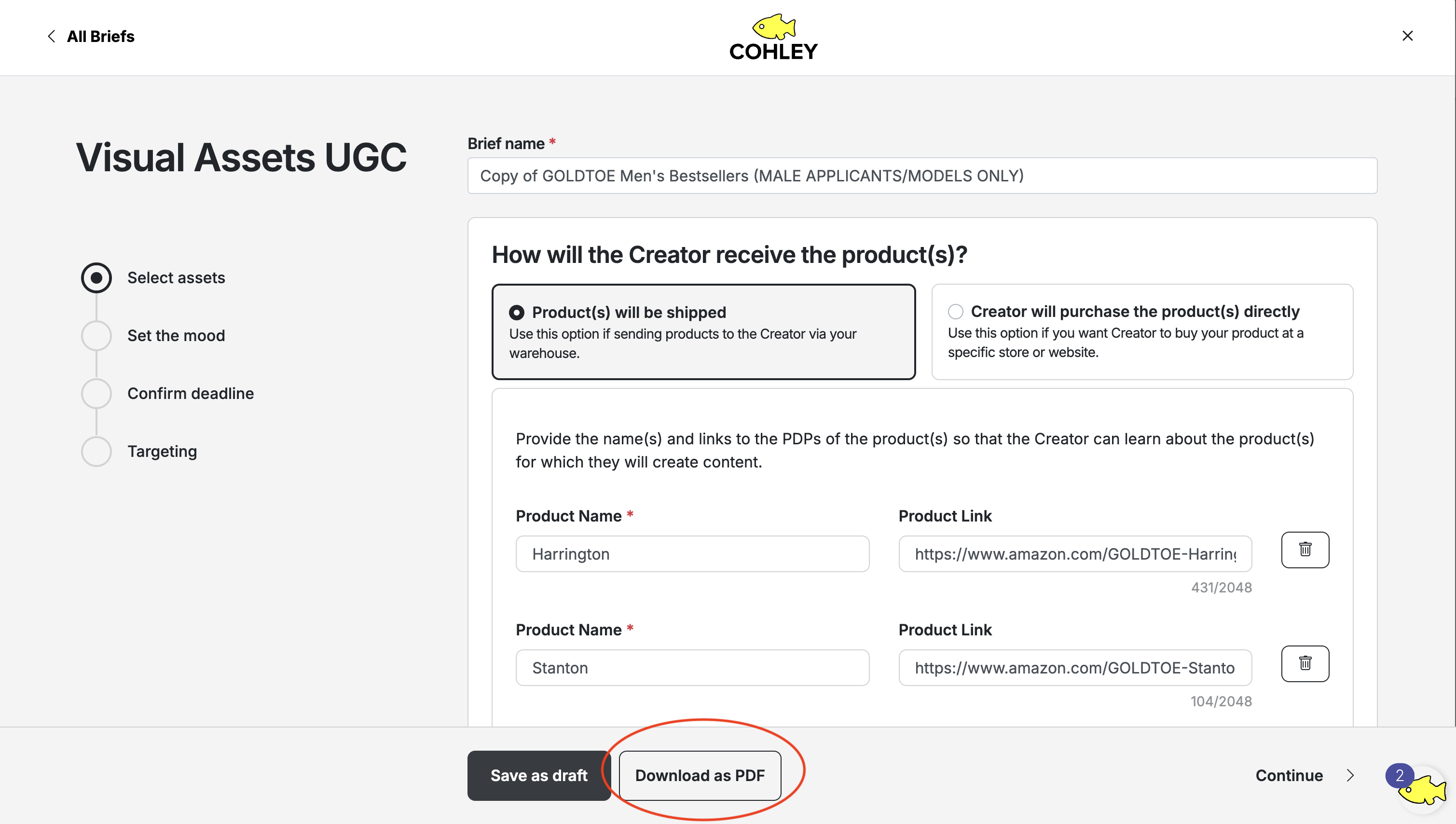 Step 2: Once you have the draft in a PDF, go back to the "Briefs" tab of Cohley and click "Create Brief"
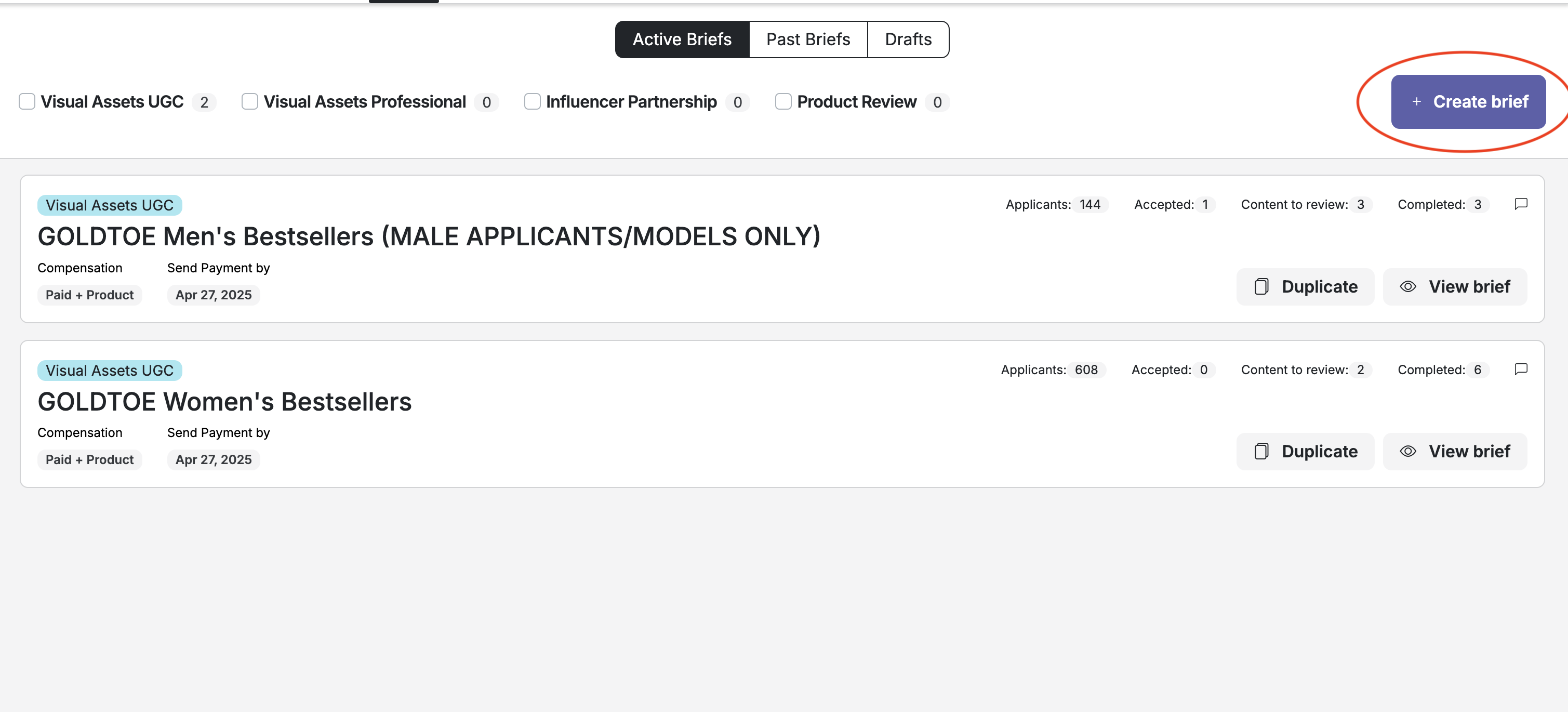 Step 3: Click "Import and Customize" and Drag and Drop your PDF from the Cohley draft, or any doc your team has created. Choose which Brief type you'd like to move forward with - UGC, Influencer Partnership, Product Review, or Professional.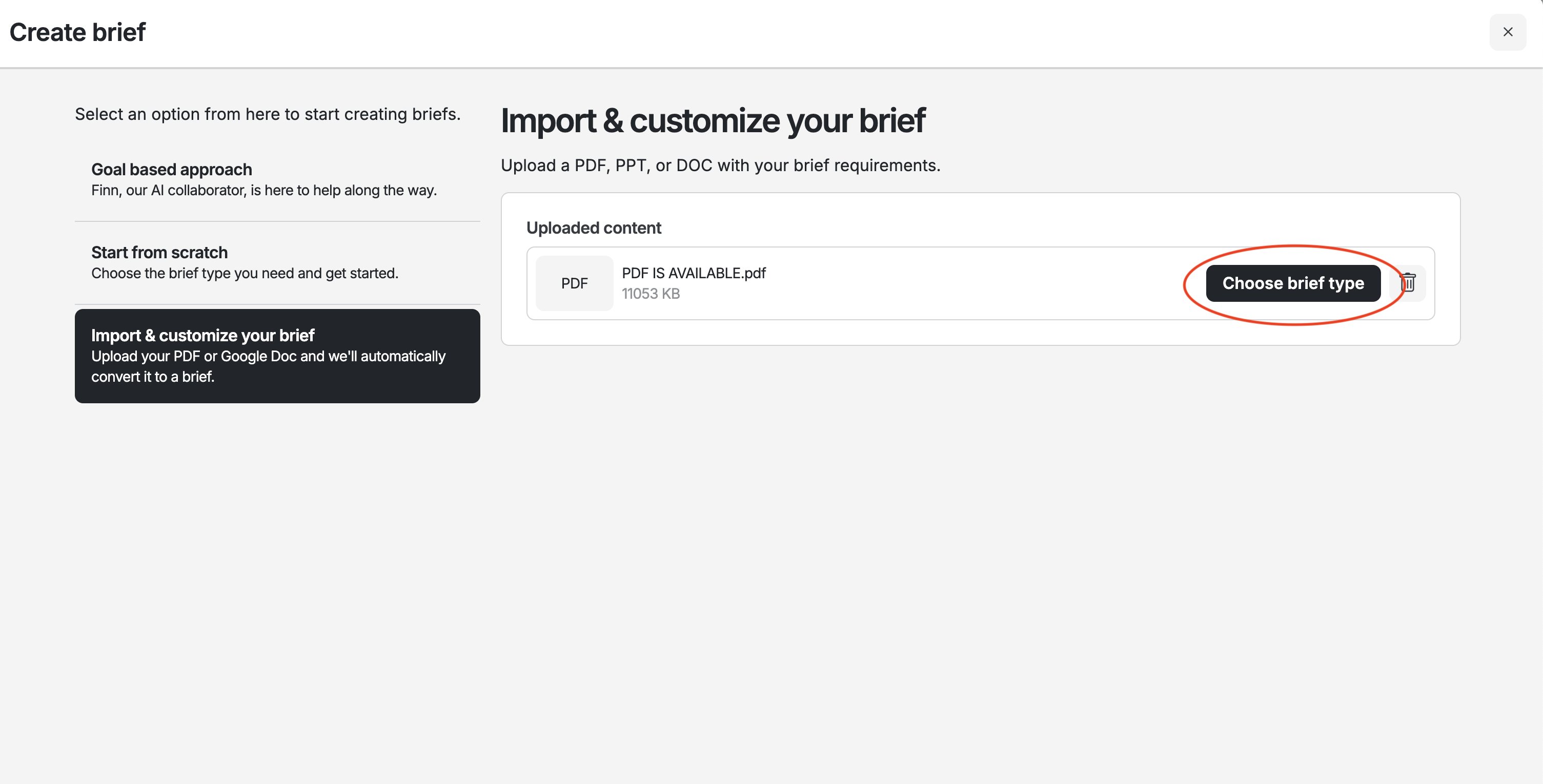
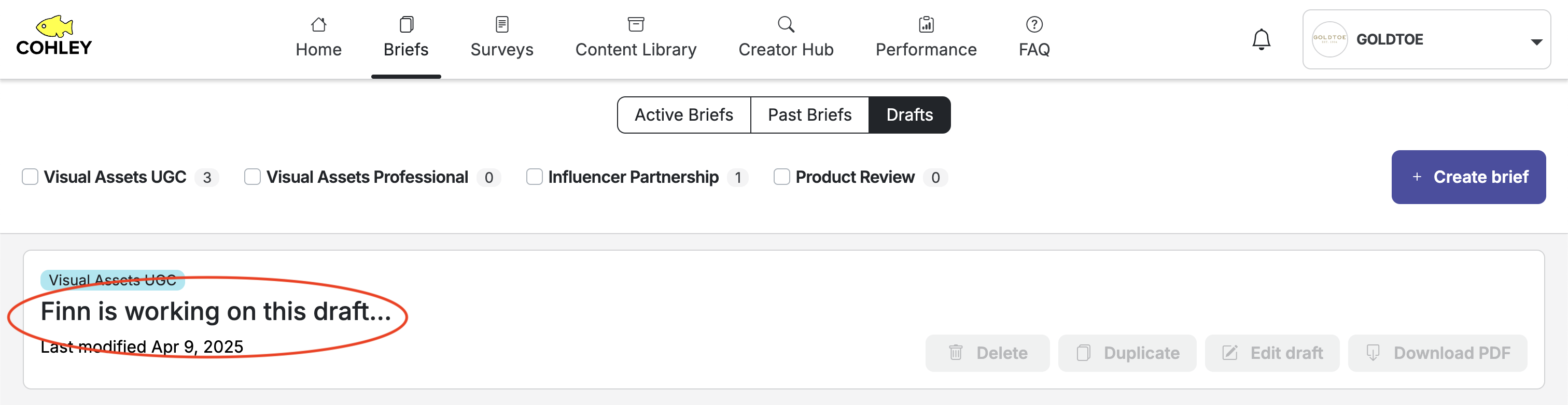
Step 4: Once the Brief type is chosen, the new Brief will move to drafts with the title "Finn is working on this draft" It will take a minute or two to fully upload. Once it's uploaded, please go in and add your final edits to the new brief
If the draft is still importing
The import usually finishes in a minute or two. If the title still reads "Finn is working on this draft" after that, the drafts list may simply not have caught up — reload the page, or move to another tab and come back, and in most cases the finished draft is already there.
If the draft has disappeared instead, the import didn't complete. Just run it again from the same PDF: Create Brief → Import & Customize.
Additional Resources:
- VIDEO- How to Import a Brief on Cohley
- VIDEO-How to Build a Cohley Brief
- Cohley UGC Brief Template linked here
- Cohley Influencer Partnership Brief Template linked here
Was this article helpful?
That’s Great!
Thank you for your feedback
Sorry! We couldn't be helpful
Thank you for your feedback
Feedback sent
We appreciate your effort and will try to fix the article