Yes. Cohley supports inviting Creators to apply to briefs in two ways — through the Creator Hub (for non-private, open briefs) and through Private briefs. In both cases, you select the Creators and Cohley sends a series of automated emails on your behalf.
How do invitations work?
| Method | Best for | Where you invite from |
|---|---|---|
| Creator Hub invitations | Non-private, open briefs where you want to make sure specific Creators see your brief | Creator Hub |
| Private briefs | Briefs you only want a specific set of Creators to be able to see and apply to | The targeting page of the brief wizard |
Cohley is still a generation platform where Creators come to you — but there are times when you want to make sure certain Creators see that you've launched a brief, and inviting them is how you do it.
How do I invite Creators from the Creator Hub?
The Creator Hub gives you quick access to recommended Creators, your favorites, and Creators you've added to a list. For non-private, open briefs, you can filter, search, or select individual Creators and invite them to apply.
To access: click Creator Hub in the main navigation.
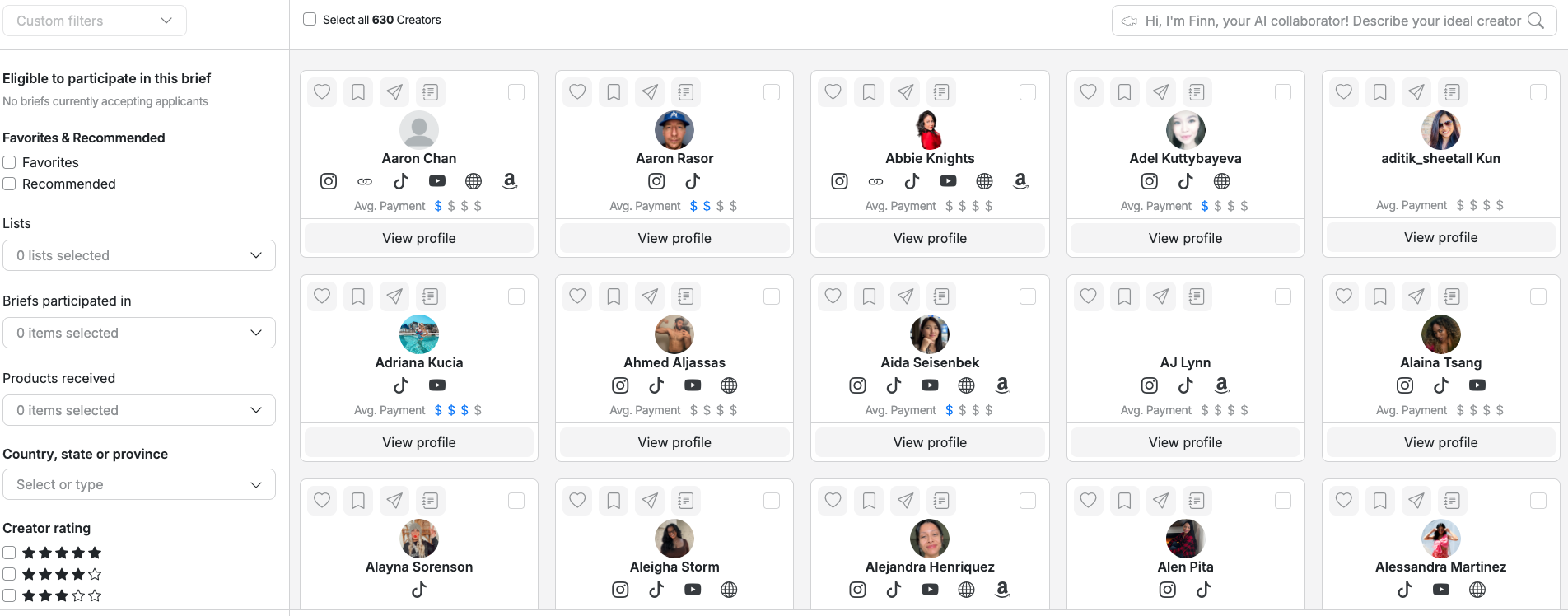
To get the most out of Favorites and Lists:
- Visit the Performance tab to find Creators with high engagement on previous work.
- Use the Content Library to heart Creators whose assets stood out.
- Go to past briefs and heart top performers from your completed stage.
- Run a Survey to best organize Creators for future use cases
Name lists clearly (e.g., Top performers, Professional-level content) so when it's time to run your next brief, you have a short list ready.
Your Creator Hub refreshes daily with new recommendations, so it’s worth checking back rather than treating it as a fixed list. Recommendations are built from your own hiring history — Creators whose work and audience resemble the ones you’ve accepted and rated well — rather than your category alone. If you’re new to Cohley and haven’t hired much yet, recommendations lean more on overall Creator quality until you’ve built up that history. Use filters to organize recommended Creators into lists, and save custom filters to find new talent as it lands.
For more on custom filters and lists:
Can I manually add Creators to my Creator Hub?
Yes, if they are not already signed up for Cohley. See Bringing Ambassadors onto Cohley.
For other Creators that are not currently in your Creator Hub, we are working on the best way to allow you to search for them. Reach out to your CSM if you have a specific Creator in mind and they can assist.
How do I invite Creators via a Private brief?
When creating your brief, the targeting page gives you three options: Public, Creator Criteria, and Private.
Choosing Private loads the Creator Hub. The Creators you select will receive the invitation email — and they'll be the only Creators who can see your brief. Choosing Private doesn't guarantee acceptance, but many brands launch Private briefs with the expectation of working with specific Creators.
A few notes on Private briefs:
- Private briefs are not viewable in the Creator Hub. Invitations for these briefs must be sent from the brief wizard at the moment you select the Creator on the targeting page.
- Because the Creator list is locked at brief creation, the invited-Creators view is visible directly on the brief itself.
What email does the Creator receive?
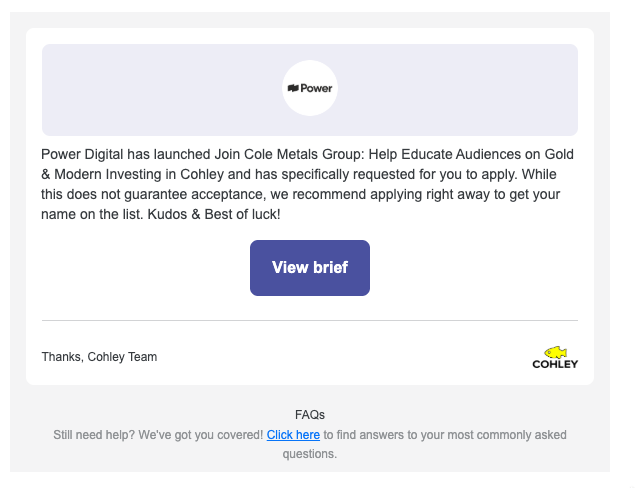
When you invite a Creator (from the Creator Hub or via a Private brief), Cohley attempts to send up to three automated emails over a four-day window. The first goes out immediately; the two that follow are reminders, and they only send if the Creator hasn't applied yet and your brief is still accepting applications.
| # | When it sends | Subject | Sent if… |
|---|---|---|---|
| 1 | Immediately after you submit the invite | [Your brand name] is asking for you! | Always (the first touchpoint) |
| 2 | ~2 days after the initial email | Don't forget to apply! | Creator hasn't applied and apply-by date hasn't passed |
| 3 | ~4 days after the initial email | Don't forget to apply! | Creator hasn't applied and apply-by date hasn't passed |
A few important details:
- Reminder timing isn't exact to the minute — sends are processed on a daily schedule and may go out any time of day on day 2 or day 4.
- If a Creator applies after email 1 or email 2, they won't receive the remaining reminders.
- If your apply-by date has already passed by the time a reminder would have sent, the reminder is skipped.
- The same Creator won't be double-emailed if they've already been invited to that brief.
- Briefs close at 12am UTC - so if you invite people the final day of applications, Creators will see the brief closes that day at 8pm ET!
Can I send a custom message to a Creator?
No. The three emails above are the entire automated outreach for an invite — the content is templated, with your brand name, brief details, and Creator name auto-filled, but the body and subject lines are not editable by brand users.
If you want to personalize outreach beyond what the templates cover, that's typically handled through your Cohley CSM or through direct communication outside the platform.
What if my apply-by date is fewer than 4 days out?
The reminders still trigger on the day 2 and day 4 schedule, but they will only send if your apply-by date hasn't passed. If your brief closes on day 3, the day 4 reminder will be skipped.
To make sure invited Creators have the full reminder window, give your brief at least 4–5 days of apply-by runway from the invitation send.
Can I re-invite a Creator who didn't apply?
A Creator who's already been invited to a specific brief won't receive a duplicate initial email for that same brief. If you want to re-engage a Creator who didn't apply, try sending them a chat in a prior brief in which you have worked together.
How do I know which Creators I've invited?
It depends on the brief type:
- Private briefs: You can see the full list of invited Creators on the brief, along with whether each has applied.
- All other brief types: The UI doesn't currently surface a list of invited Creators. You'll see Creators in your applicants list once they apply — but Creators who haven't applied yet aren't visible.
If you need to confirm who you invited on a non-private brief, reach out to your support@cohley.com and they can pull the list for you.
Having trouble inviting a Creator?
If you're trying to invite a Creator from the Creator Hub and running into issues, a few things to check:
- Have they already applied? Search their name in the applicants tab to see if they're already there.
- Does your targeting include them? If you've set targeting (e.g., ages 30–35) and the Creator falls outside that range (e.g., age 40), they can't be invited or see the brief.
- Has your application deadline passed? Bump the apply-by date to a future date and try again.
Was this article helpful?
That’s Great!
Thank you for your feedback
Sorry! We couldn't be helpful
Thank you for your feedback
Feedback sent
We appreciate your effort and will try to fix the article