When you build a Product Review brief, each Text Review deliverable includes one setup question: “Does this review need to be written on a 3rd party website?” Your answer decides where the review is written and where it ends up.
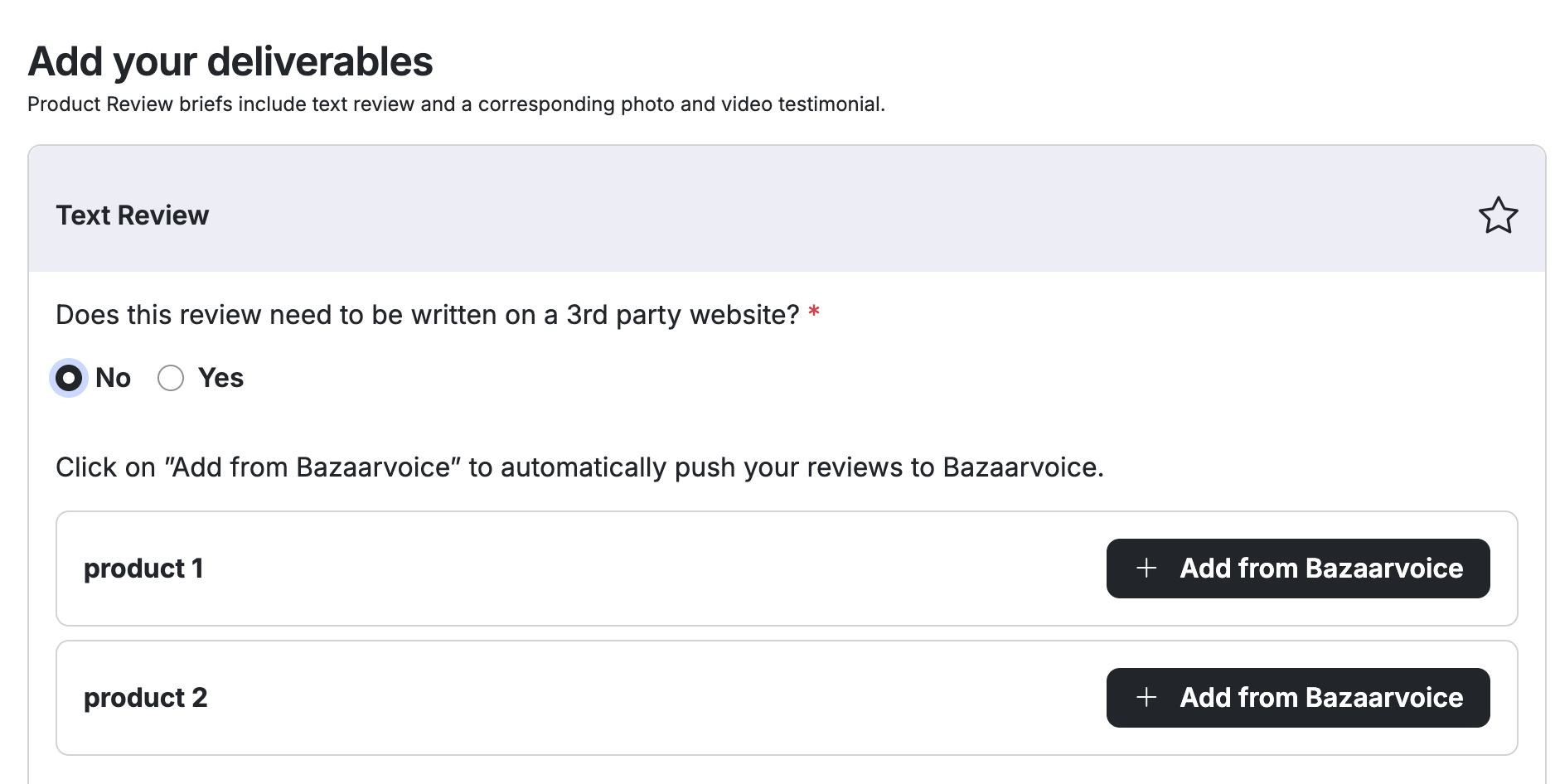
Defaults to “No” — the review is written in Cohley
The creator writes their review directly in Cohley (star rating, title, body, and an optional photo or video). Where those reviews go next depends on your setup:
- If you use a review integration (PowerReviews, Yotpo, or Bazaarvoice): you’ll see an “Add from [your partner]” button for each product (for example, “Add from Bazaarvoice”). Click it on each product to link it, and that product’s reviews are pushed to your partner automatically for their normal moderation and syndication. See How does Cohley sync reviews and products with PowerReviews / Yotpo / Bazaarvoice?
- If you don’t link a product (or you have no integration): its reviews stay in the Reviews section of your Content Library, where you can filter, search, and export them. See How to find reviews and export.
Important: if you use Bazaarvoice or Yotpo, using the “Add from…” button is the supported way to get Cohley reviews onto their platform. Exporting reviews from Cohley and uploading them yourself isn’t permitted by Bazaarvoice or Yotpo without their explicit permission — so link each product here rather than relying on a manual export-and-upload.
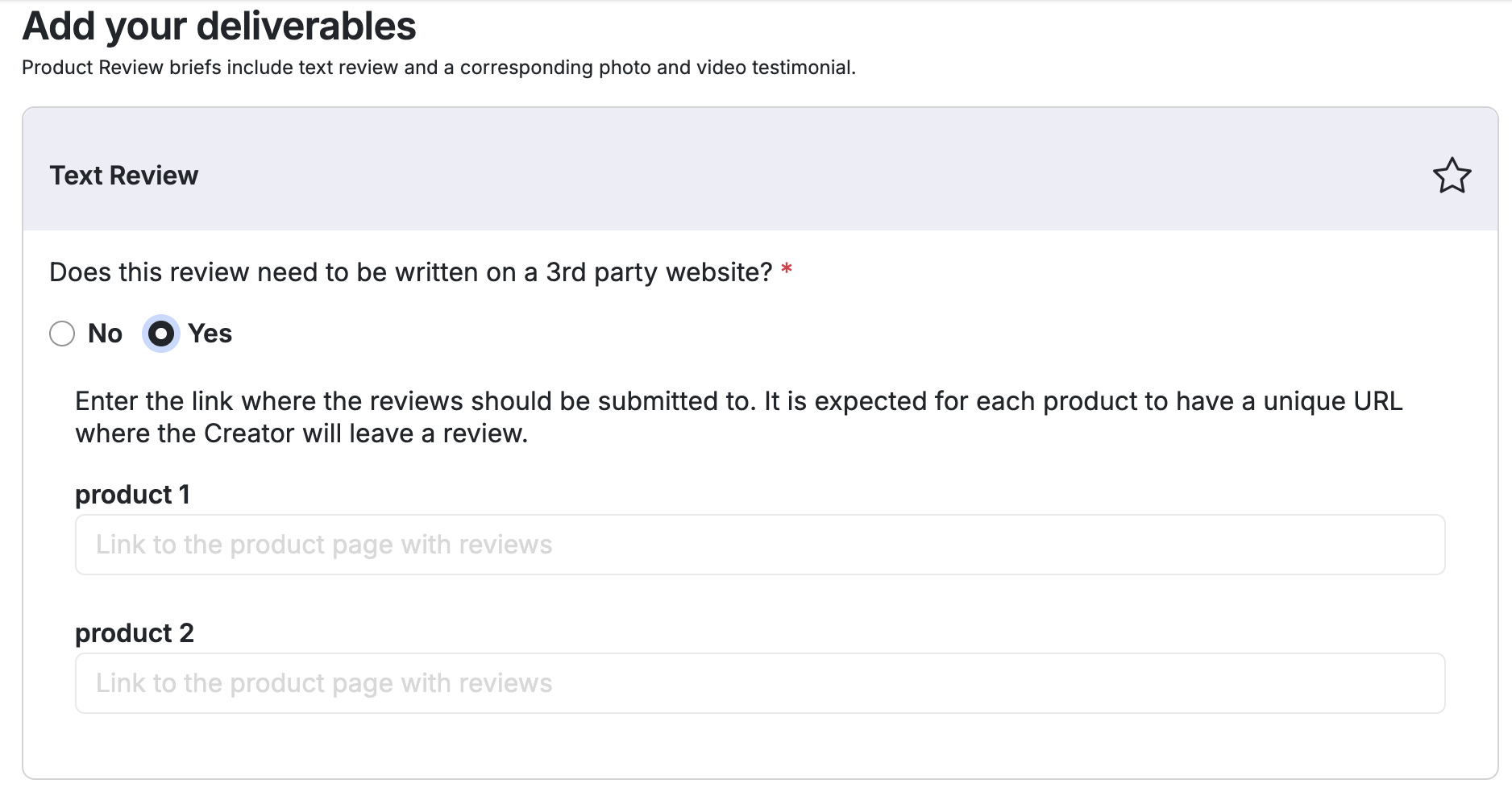
If you choose “Yes” — the review is written on a third-party retailer site
Instead of writing in Cohley, the creator posts the review on the retailer’s product page. You provide the link where reviews should be submitted, and each product needs its own unique URL — for example your listing on Walmart, Target, Ulta, Sephora, or PetSmart. The creator posts their review on that page, captures proof (a screenshot or confirmation), and attaches it back in Cohley as their proof of review.
- Enter the URL in the “Link to the product page with reviews” field — a unique link for each product.
- Use the specific product page, not a store homepage or search page, so the review lands on the right listing.
Retailers we don’t support for review requests:
Cohley does not support requesting incentivized reviews on retailers whose policies prohibit reviews generated through third-party sampling programs. This includes, but is not limited to:
- Amazon
- Chewy
- TikTok Shop
Requesting reviews on these platforms violates their respective review policies and may put both the reviews and your product listing at risk of removal and suspension.
A note on disclosure
However you collect reviews, creators are receiving a product in exchange for their honest review, so FTC disclosure rules apply. See FTC Compliance on Product Reviews.
Which should I choose?
- Choose “No” if you want the reviews in Cohley to filter and export, and/or synced automatically to your review integration.
- Choose “Yes” when you need reviews to appear on a specific retailer’s product page — just not Amazon, Chewy, or TikTok Shop.
Not sure which fits your goals? Your Cohley team is happy to help you set it up.
Was this article helpful?
That’s Great!
Thank you for your feedback
Sorry! We couldn't be helpful
Thank you for your feedback
Feedback sent
We appreciate your effort and will try to fix the article